
50 Video Editing Tips Every Video Editor Should Know

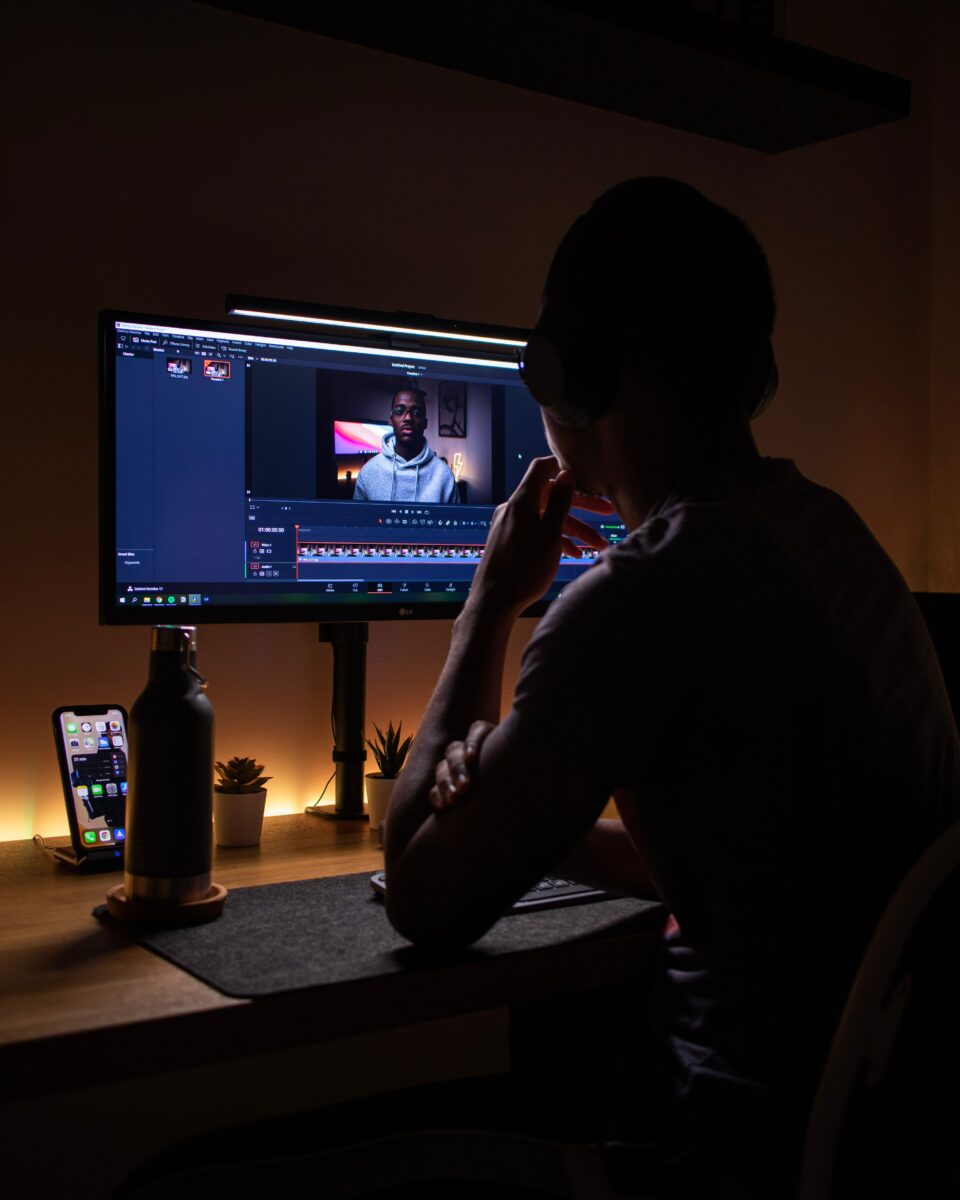
Shoutout to Nubelson Fernandes! Follow IG @nublson

50 Video Editing Tips Every Video Editor Should Know

Video editing is a multifaceted craft that combines technical expertise with artistic sensibilities. Whether you’re a novice looking to sharpen your skills or a seasoned professional seeking a refresher, this article presents 50 video editing tips that every video editor should know. These guidelines encompass a wide range of aspects, from organization and software proficiency to creative storytelling and technical finesse.

Whether you’re creating content for YouTube, crafting promotional videos, or simply expressing your creativity, these tips will serve as a compass, guiding you through the intricacies of video editing. Let’s start!

#1. Organize Your Media

Effective media organization is the bedrock of efficient video editing. Ensure your video files, audio clips, and assets are thoughtfully sorted into well-structured folders. Develop a consistent naming convention, employ metadata for easy searching, and don’t forget to back up your work. This meticulous approach saves time, streamlines creativity, and sets the stage for professional-quality video projects.

#2. Familiarize Yourself with Your Editing Software

Mastering your chosen editing software is akin to acquiring a valuable skill. Just as a maestro knows every note and subtlety of their instrument, understanding your software’s nuances is essential. Delve deep into its capabilities, from the fundamental techniques of cutting and transitioning to the more intricate aspects like advanced effects and precise color correction. Proficiency with your software not only boosts efficiency but also empowers you to craft videos that manifest your creative vision with finesse. Approach it as an ongoing journey, where constant exploration and expanding your skill set are the keys to staying at the forefront of video editing.

#3. Keyboard Shortcuts

Now, let’s talk about a little secret that separates the pros from the rest – keyboard shortcuts. These are your supercharged tools for turbocharging the editing process. Memorizing and utilizing common keyboard shortcuts isn’t just about saving time; it’s about mastering your craft. Whether it’s swiftly splitting clips, zooming in for precise adjustments, or seamlessly navigating your timeline, these shortcuts are your allies in achieving professional-level efficiency. So, if you’re serious about your editing game, invest time in learning and embracing these keyboard shortcuts. They’ll make you an editing virtuoso.

#4. Storyboard and Plan

Let’s talk strategy – before you hit the editing room, it’s essential to plan your video. Think of it as your roadmap, guiding you through the creative journey. Storyboarding is your secret weapon here. By sketching out your scenes, transitions, and shot sequences, you’re not only saving time in post-production, but you’re also ensuring a smoother editing process. This blueprint allows you to visualize the final product, ensuring that your storytelling is on point and your message is crystal clear. So, embrace the power of planning and storyboarding, and you’ll be one step closer to video editing excellence.

#5. Edit to the Beat

Here’s the beat – syncing your video cuts with the rhythm of the music is like a dance between visuals and sound. It’s the secret sauce to create an immersive and engaging experience for your viewers. Picture it as a synchronized performance, where every cut, every transition, aligns with the music’s tempo and mood. This not only keeps your audience captivated but also enhances the overall impact of your video. So, don’t just edit; dance to the rhythm of your soundtrack, and let your audience feel the groove.

StudentFilmmakers.com Live Filmmaking Webinars. Login and Study with the Pros!

#6. Use Transitions Wisely

Now, when it comes to transitions, remember this: subtlety is often your best friend. While it might be tempting to showcase a dazzling array of transitions, sometimes simple cuts can be far more powerful. The key here is not to overdo it. Excessive transitions can distract from your content, while strategically placed cuts can maintain focus and flow, making your video feel polished and professional. So, think of transitions like spices in a dish; use them sparingly and with purpose, and your videos will exude a refined and engaging quality.

#7. Color Correction

When it comes to color, think of your video as a canvas waiting to be painted. Mastering color correction and grading techniques is like wielding a painter’s brush. It’s your passport to achieving that professional, cinematic look. By understanding how to balance colors, adjust exposure, and fine-tune the mood, you’re transforming a raw video into a visually stunning masterpiece. So, whether you want to convey emotion, establish a consistent style, or simply make your footage pop, color correction is your artistic toolkit for elevating the quality and impact of your videos. Embrace it, and your work will shine with a professional glow.

#8. Audio is Key

In the realm of video, audio is the unsung hero, the invisible force that can make or break your production. Recognize that investing in a good microphone is not just an option; it’s a necessity. Crystal-clear, well-captured audio can breathe life into your visuals, enhancing the overall viewing experience. Whether it’s crisp dialogue, ambient sounds, or evocative music, quality audio transforms your video into a captivating narrative. So, don’t underestimate the significance of sound. Choose your microphone wisely, and you’ll find that it’s the key to delivering videos with a professional touch and immersive quality that keeps your audience engaged.

#9. Audio Levels

In the world of video, audio levels are like the notes in a symphony, each playing a vital role in the overall composition. Consistency and control are your allies here. Ensure that your audio levels are not only balanced but also steer clear of peaking, which can result in distorted, unpleasant sounds. Smooth, well-modulated audio guarantees that your viewers can fully immerse themselves in the narrative without disruptions. It’s the subtleties of good audio management that turn your video into a harmonious masterpiece, offering a professional and enjoyable listening experience. So, keep those audio levels in check, and let the symphony of sound enhance your storytelling.

#10. Background Music

Imagine your video as a canvas, and background music as the brushstroke that adds depth and emotion. The use of background music is more than just a suggestion; it’s a potent tool to set the mood and engage your audience. Whether you seek to evoke excitement, nostalgia, or suspense, the right music can transform a scene, making it memorable and impactful. It’s the subtlety of background music that can elevate your video from good to exceptional. So, don’t underestimate its power; choose your music wisely and watch as it weaves the emotional fabric of your video, ensuring a professional, captivating experience for your viewers.

StudentFilmmakers.com Global Network Community Online

#11. Cut on Motion

In the realm of video editing, timing is everything, and cutting during movement is the secret to crafting seamless transitions. It’s akin to catching a wave, ensuring that your video flows naturally from one scene to the next. This technique not only keeps your viewers engaged but also maintains the rhythm of your storytelling. By making these cuts at just the right moment, you enhance the continuity of your video, allowing it to unfold with grace and professionalism. So, remember, timing is your ally in achieving smooth, visually pleasing transitions that captivate your audience.

#12. Storytelling

In the world of video, storytelling is the heartbeat of your creation. It’s not merely an option; it’s the essence of what separates a captivating video from a forgettable one. Every frame, every cut, every sound should align with the narrative you wish to convey. It’s about engaging your audience on an emotional level, leaving a lasting impact. So, don’t just shoot footage; craft a compelling story, or deliver a powerful message that resonates. This commitment to storytelling transforms your video into a professional and memorable work of art, leaving your viewers not just watching but experiencing the tale you’ve woven.

#13. Rule of Thirds

In the world of visual aesthetics, the rule of thirds is your trusty guide. It’s not a rigid law but a tried-and-true principle that elevates your video’s composition. Picture your frame divided into a grid of nine equal parts, both vertically and horizontally. Placing key elements along these intersections or along the lines themselves adds balance and visual interest. This technique ensures that your audience’s eyes are naturally drawn to the most important aspects of your shot, resulting in a more captivating and professional composition. So, embrace the rule of thirds to infuse your video with an appealing, harmonious aesthetic.

#14. Scale and Crop

Video editing is your canvas of creativity, where scaling and cropping play pivotal roles in crafting dynamic visual effects. Scaling allows you to emphasize critical details, zoom in for dramatic impact, or create sweeping vistas. Cropping lets you tailor your frame to focus on emotions or elements that tell your story. These tools empower you to explore and experiment, enhancing the visual narrative of your video with professional finesse.

#15. Text and Titles

The impact of text and titles in video editing is profound. They are your storyteller’s voice, adding context and information to guide your audience. Whether introducing characters, conveying messages, or enhancing narrative flow, text and titles are your essential tools for engaging viewers and creating a captivating video.

StudentFilmmakers.com Live Filmmaking Webinars. Login and Study with the Pros!

#16. Keyboard Animations

Animating text and graphics is akin to giving life to your video. Keyframe animation allows elements to move, transform, or fade, creating a dynamic, visually compelling experience. These animations are the heartbeat of your video, aligning with your narrative’s flow and rhythm to capture your audience’s attention and keep them engaged.

#17. Keyboard Graphics

Graphics and overlays are the final brushstrokes that polish your video to a professional sheen. They emphasize key points, maintain branding consistency, and add visual intrigue. When executed with precision, these elements elevate the overall look and feel of your video, ensuring a professional touch that captivates your audience.

#18. Match Cut

Seamlessly transitioning between scenes is an art form, and match cuts are your brushstrokes. By matching the motion or subject of two shots, you create a visual link that keeps your viewers engaged and ensures the smooth flow of your story. These cuts are your continuity guardians, maintaining a professional and polished narrative.

#19. Jump Cuts

Jump cuts can be jarring, but in skilled hands, they become creative tools that enhance your storytelling. Recognize these moments in your footage and use them intentionally to create a specific effect or emphasize a point. When wielded with creativity, jump cuts become seamless transitions that add professional flair to your video.

#20. Reverse and Slow Motion

Slow motion and reverse effects bring a dramatic twist to your video. They’re your go-to techniques for emphasizing pivotal moments, adding a touch of surprise, or creating an atmosphere of intrigue. These tools breathe life into your narrative, infusing it with professional style and impactful storytelling.

Student Filmmakers Magazine Subscriptions - Sign Up Today!

#21. Audio Effects

In video editing, audio quality is as important as visuals. Experimenting with audio effects like equalization, reverb, and compression allows you to fine-tune the auditory experience. These tools help you shape sound to match the mood and atmosphere of your video, ensuring a professional and engaging auditory backdrop.

#22. Collaborate

Collaboration is a cornerstone of professional video editing. Seeking feedback and working with others can refine your work, offering fresh perspectives that elevate your creativity and expertise.

#23. Backup Your Files

Project safety is paramount. Regularly backing up your work protects against data loss, ensuring that your dedication and creativity are safeguarded from potential setbacks.

#24. Render Settings

Selecting the right export settings for your intended platform is critical. It ensures that your video is displayed in the best quality and format for your target audience, maintaining a professional touch throughout the viewing experience.

#25. Compression

Understanding video compression is crucial. It empowers you to reduce file sizes for easy sharing without sacrificing quality, a fundamental aspect of professional video editing.

StudentFilmmakers.com Live Filmmaking Webinars. Login and Study with the Pros!

#26. File Formats

Video editing involves various file formats. Being aware of these formats and their specific uses ensures compatibility with different devices and platforms, contributing to a professional presentation.

#27. Save Versions

Maintaining flexibility is key. Saving different versions of your project allows you to experiment with various edits without losing your original work, fostering creativity and professionalism.

#28. Proxy Editing

When working with high-resolution footage, proxy editing enhances your software’s performance, ensuring a smoother and more professional editing process.

#29. Storyboard Your Edits

Creating a visual roadmap of your video’s structure through storyboarding is a pivotal step. It aids in planning shots, transitions, and overall flow before diving into the editing process, contributing to a professional and well-structured video.

#30. B-Roll

B-roll footage enhances storytelling and visual appeal, providing additional context and captivating viewers. It’s an essential tool that adds depth and professionalism to your video.

#31. Synchronize Audio

Syncing external audio with your video enhances audio quality, elevating the overall auditory experience and lending a professional touch to your work.

#32. L and J Cuts

L and J cuts are invaluable for creating seamless transitions between audio and video. By extending audio from one clip into another or vice versa, you maintain viewer engagement and ensure a professional and polished listening experience.

#33. Keyboard Audio Effects

Audio effects like equalization and noise reduction are essential for enhancing the quality of your sound. They fine-tune audio elements, ensuring clear and professional auditory accompaniments to your visuals.

#34. Record Room Tone

Recording a few seconds of silence is a subtle but crucial step. This room tone can be used to fill in audio gaps or create auditory continuity during editing, ensuring a professional listening experience.

#35. Aspect Ratios

Different platforms require different aspect ratios, a consideration crucial for professional video editing. Understanding these ratios ensures that your video displays correctly and professionally on various screens.

StudentFilmmakers.com Global Network Community Online

#36. Green Screen

Experimenting with green screen (chroma key) effects opens up a world of creative possibilities in professional video editing, allowing you to superimpose your subject onto different backgrounds and enhance the visual appeal of your videos.

#37. Masking

Masking adds depth and focus to specific parts of the frame, enhancing the impact of your shots. It’s a subtle yet effective technique for a professional and captivating visual presentation.

#38. Stabilization

Stabilization tools are your go-to when dealing with shaky footage. They ensure that your video appears smooth and professional, regardless of the shooting conditions.

#39. Motion Tracking

Motion tracking adds a layer of professionalism by enabling you to add tracked graphics to moving objects in your video. This technique enhances visual appeal and contributes to a polished, engaging final product.

#40. Split Screen

Creating split-screen effects allows you to show multiple perspectives or content simultaneously. This versatile technique adds sophistication and professionalism to your videos, enhancing storytelling and visual interest.

#41. Express Yourself

Your unique creative style is your signature. Let your personality shine in your video edits, setting your work apart and adding a personal and professional touch.

#42. Watch Tutorials

The learning journey never stops. Online tutorials and courses are a treasure trove of knowledge, offering continuous opportunities to enhance your video editing skills and maintain a professional edge.

#43. Stay Updated

Remaining up-to-date with the latest software and hardware developments ensures you’re equipped with the best tools for professional video editing, setting the stage for a polished final product.

#44. Experiment

Fearlessly trying new techniques and effects is the path to discovery and innovation in your video editing journey. Experimentation nurtures creativity and adds a professional touch to your work.

#45. Understand Copyright

Respecting copyright when using music or footage in your videos is crucial. Being aware of legal considerations ensures a professional and ethical approach to your work, safeguarding your video’s professionalism.

Student Filmmakers Magazine Subscriptions - Sign Up Today!

#46. Export for Web

In the digital age, optimizing your videos for online streaming is paramount. Tailoring your exports for various platforms ensures your videos reach your audience in the best quality, maintaining a professional and engaging presentation.

#47. Feedback Loop

The feedback loop is the crucible of professional growth. Seeking feedback and iterating are integral to evolving as a video editor, refining your skills, and ensuring a professional finish to your work.

#48. Stay Patient

Video editing can be time-consuming, but patience is your ally. Each edit brings you a step closer to perfection, and your patience will be rewarded with a polished, professional final product.

#49. Back up Your Work

Regularly saving and backing up your project files is a non-negotiable practice. Protecting your work from potential data loss is the foundation of professionalism in video editing.

#50. Keep Learning

Video editing is an ever-evolving discipline. Staying curious, adaptable, and committed to learning is your ticket to maintaining a professional edge in this dynamic field. Your dedication to continuous improvement is the hallmark of a professional video editor.


Video editing is both an art and a continuously evolving discipline. These tips serve as a valuable guide to help you enhance your skills over time. However, remember that true mastery comes with practice and experience, which will ultimately transform you into a proficient video editor.

Embracing these fundamental principles and honing your craft will equip you to produce captivating, professional-quality videos. Whether you’re an aspiring filmmaker, a content creator, or someone who revels in crafting stories through the medium of moving images, video editing offers a fulfilling and rewarding path.

Sharpening your video editing skills is an invaluable asset. So, keep learning, keep practicing, and continuously push the boundaries of your creativity. With each new project, you’ll witness your growth as an editor and storyteller. Now, ignite your editing software, meticulously organize your media, and let your imagination roam freely as you embark on your video editing journey.


About Us

StudentFilmmakers.com is where creatives grow. Learn filmmaking, connect with industry pros, and access tools, contests, and inspiring educational resources.

Sponsors

Black Friday and Cyber Monday Sale!

Sign up for our Newsletter

Discover exclusive access to free webinars, hands-on workshops, and cutting-edge insights into emerging technologies and workflows. Sign up with the form above to stay ahead in the fast-evolving world of filmmaking.

×